

Turbo WiFi Analyzer
Read our comprehensive review of Turbo WiFi Analyzer for Windows. Learn how to diagnose signal issues, map coverage, and find the best wireless channels.
Diagnosing Wireless Issues with Turbo WiFi Analyzer
In today's connected environments, a sluggish wireless connection can halt productivity. Turbo WiFi Analyzer WiFi optimization software offers Windows users a clear window into their local airwaves. Developed by HUXSoft, this utility helps network administrators and home users alike demystify their wireless environment, moving beyond guesswork to make data-driven adjustments to their network setups.
Practical Tools for Real-World Wireless Troubleshooting
Instead of relying on basic signal bars, this application delivers actionable metrics to improve your wireless experience. Here is what you can accomplish using its core toolset:
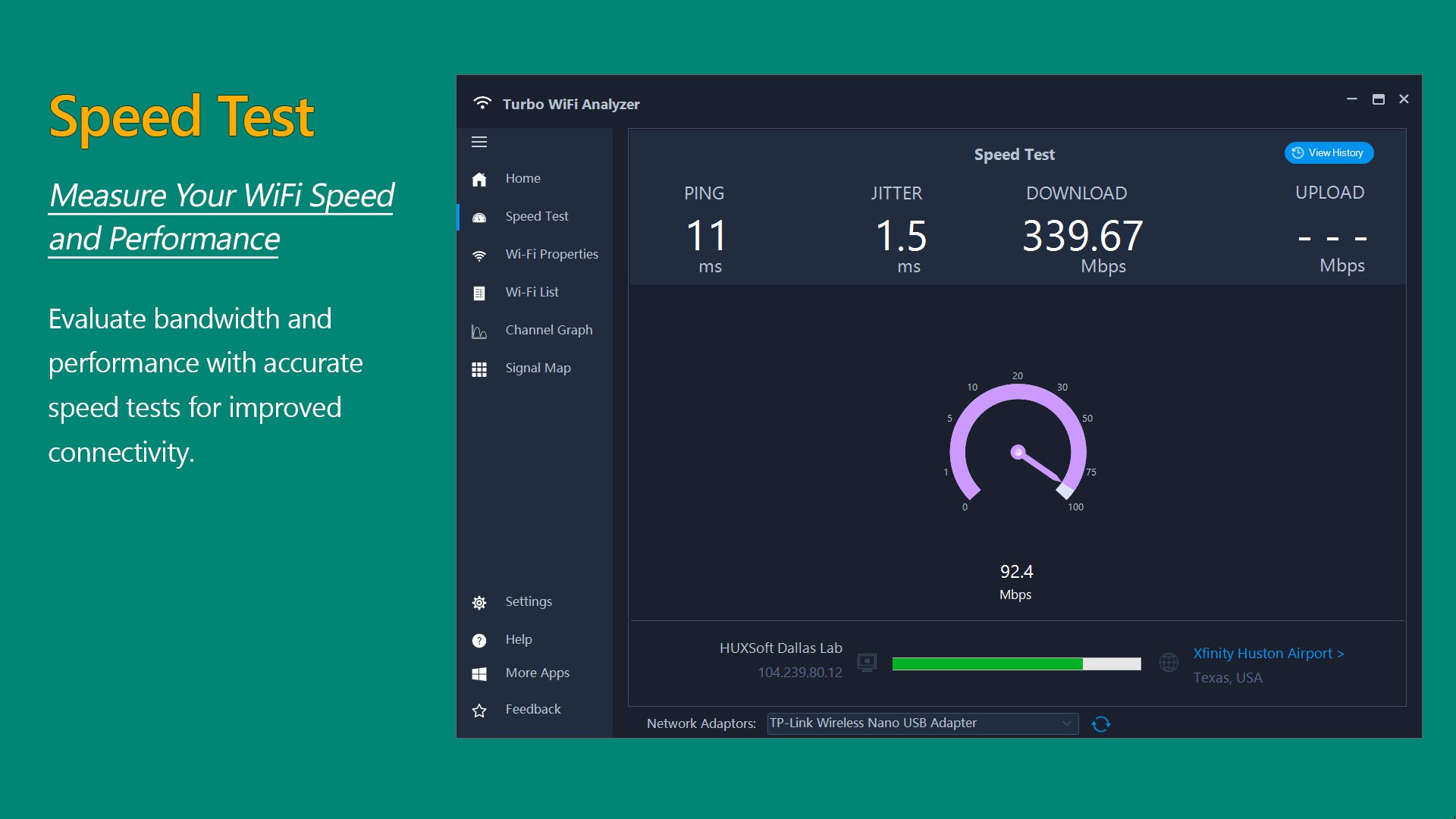
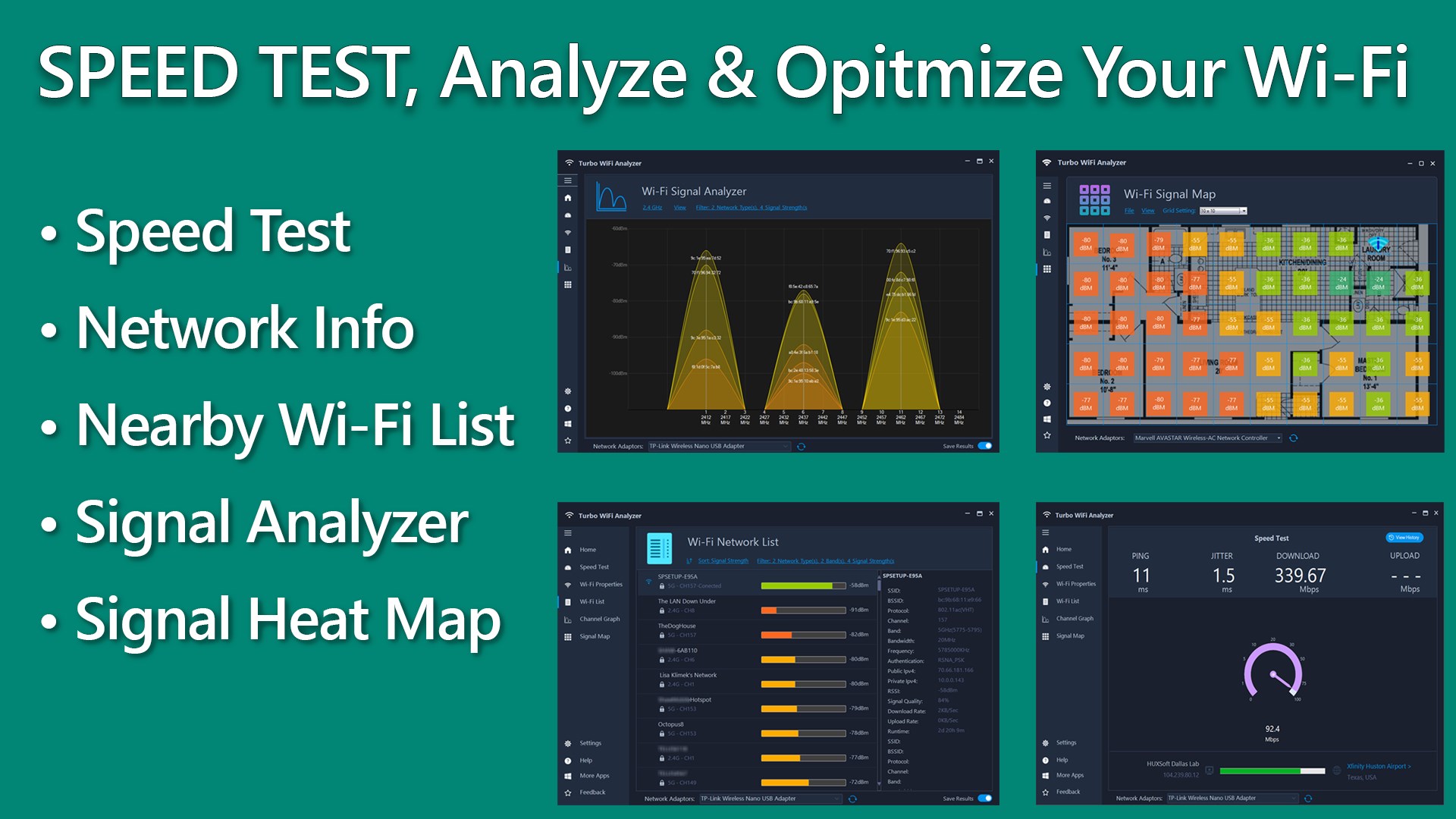
- Run Immediate Performance Tests: The integrated speed test measures upload and download speeds, alongside critical stability metrics like ping and jitter, to pinpoint where bottlenecks occur.
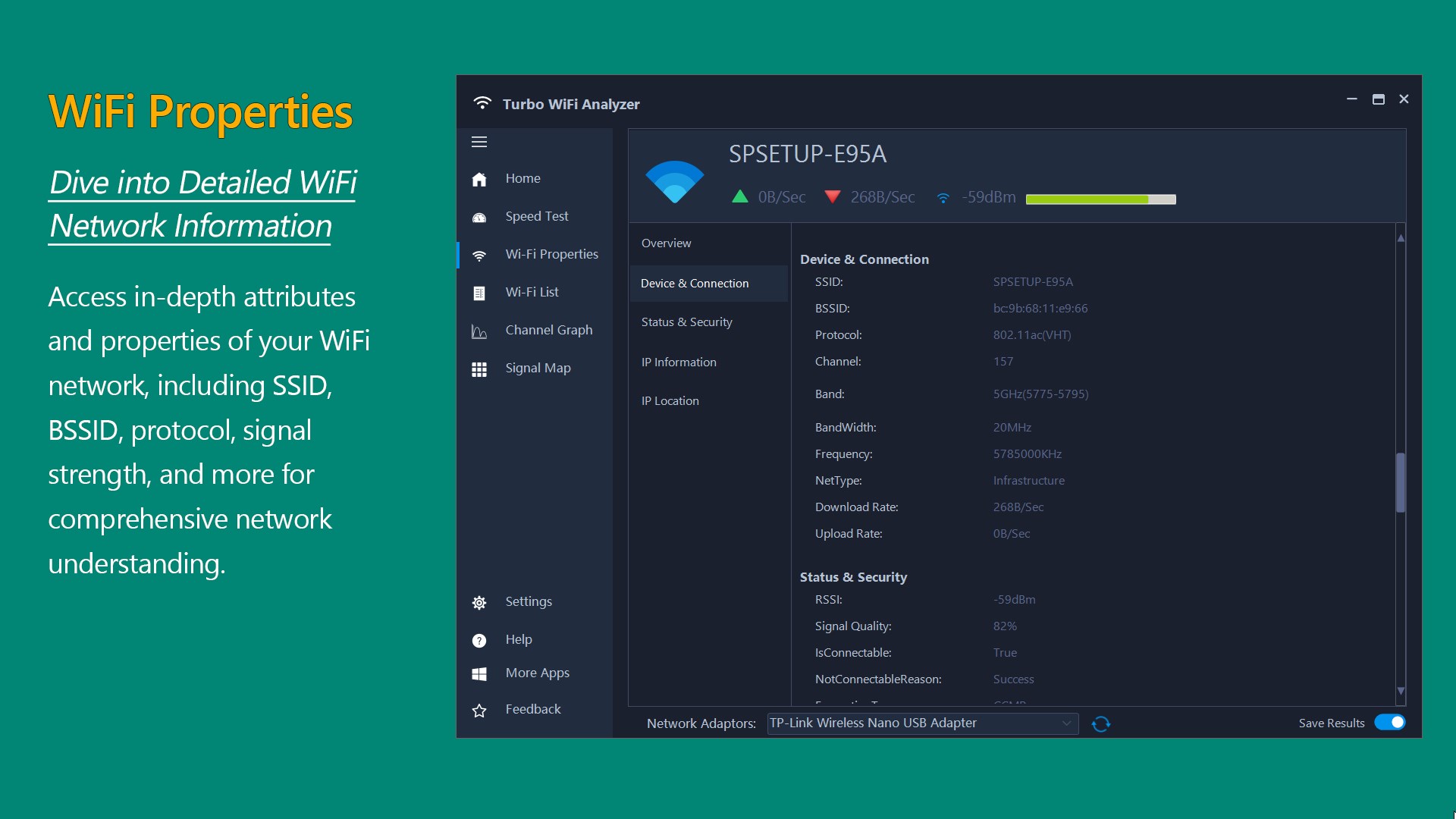
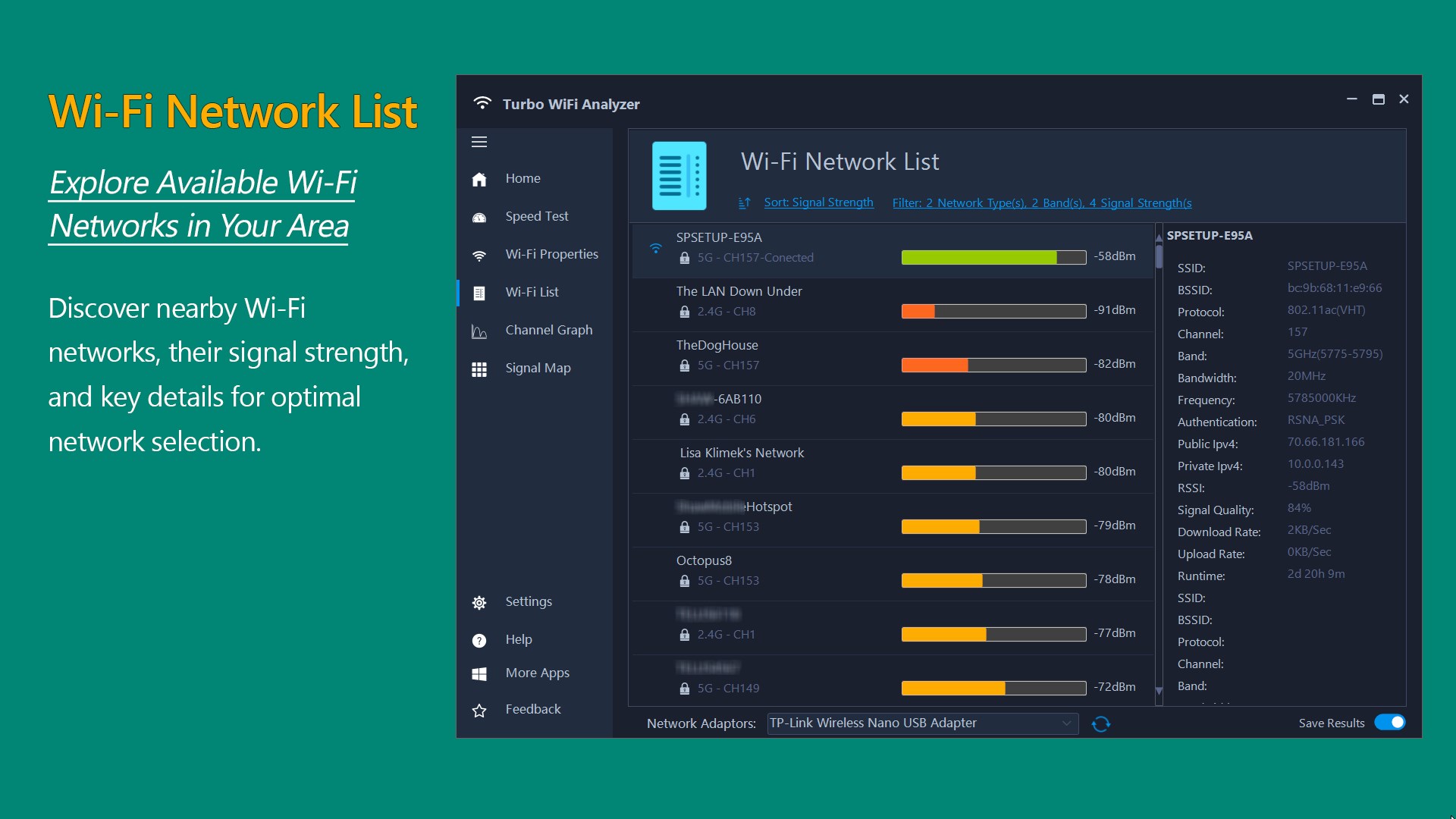
- Inspect Detailed Hardware Properties: Access comprehensive technical data regarding your active connection, including the BSSID, SSID, current channel bandwidth, protocol standards, and real-time signal quality.
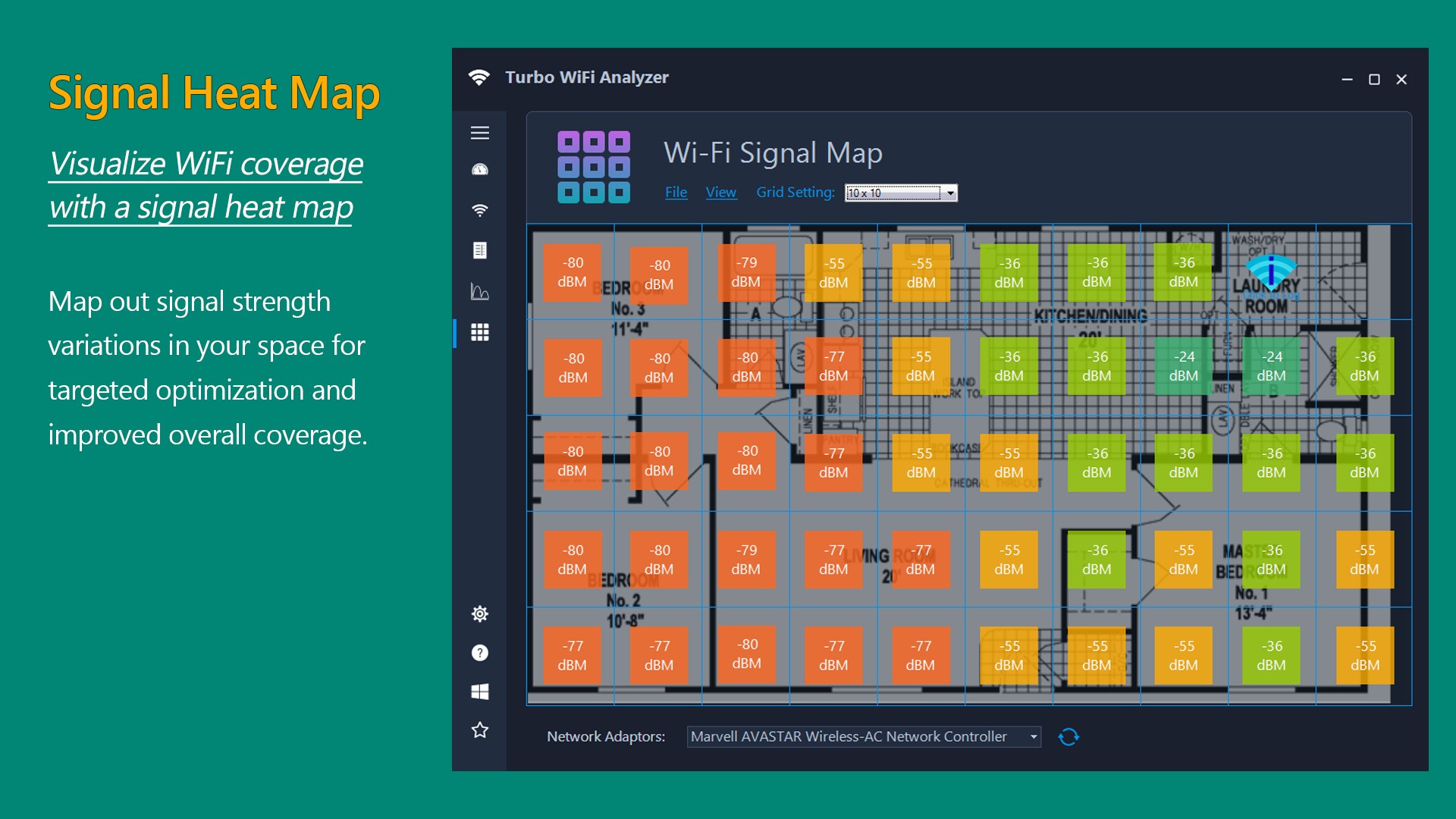
- Map Your Physical Space: The signal map feature allows you to plot signal strength as you move through your home or office, creating a visual heat map that highlights dead zones and weak spots.
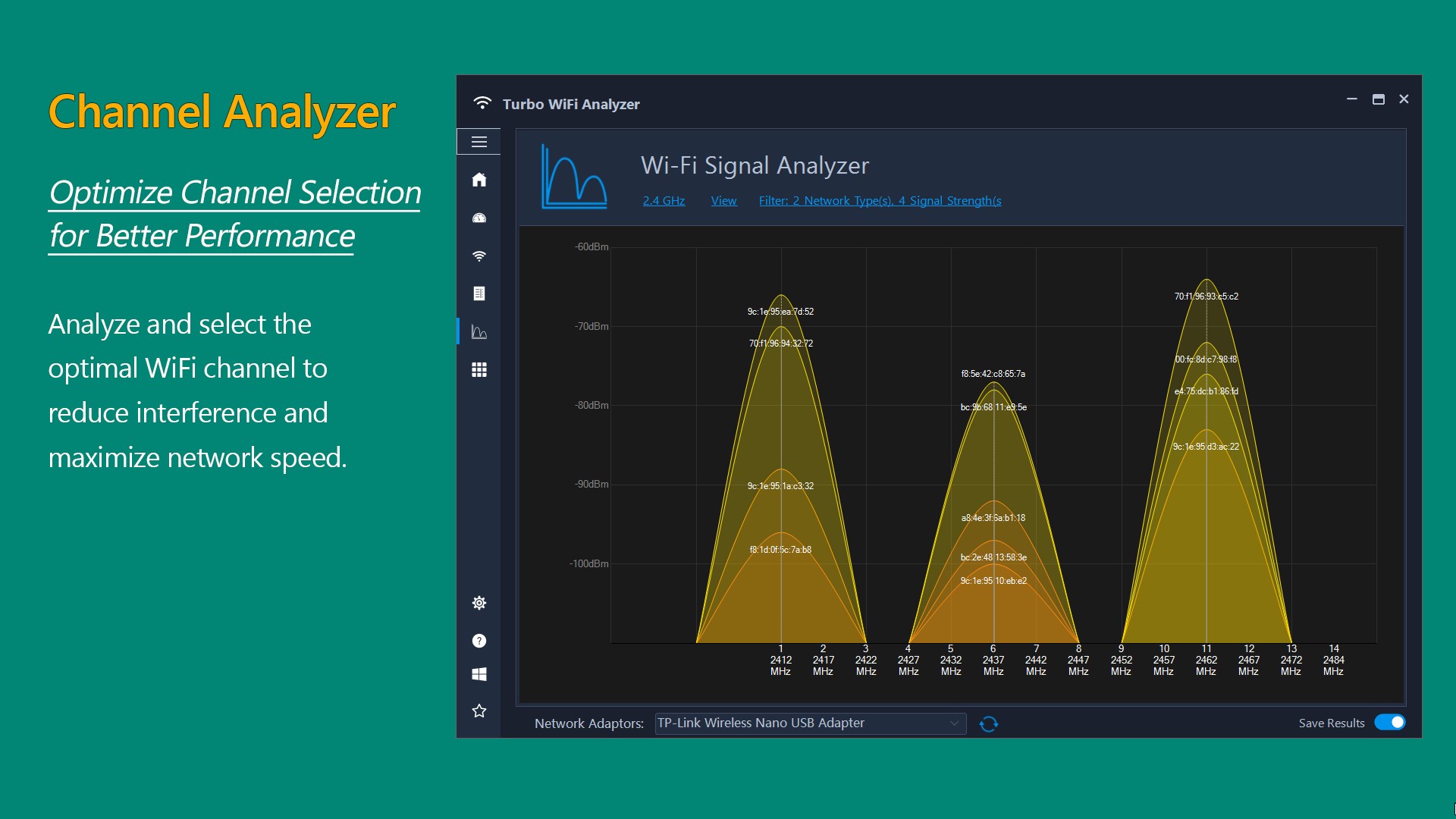
- Decongest Your Airwaves: Use the real-time channel graph to identify which frequencies are overcrowded by neighboring routers, allowing you to select the quietest channel for your own router.
Who Benefits Most From This Tool?
If you regularly suffer from dropped video calls, slow download speeds, or intermittent connection drops, this utility is designed for you. It bridges the gap between complex enterprise network tools and overly simplistic consumer apps. Home office professionals, gamers requiring low latency, and casual users trying to position their routers for maximum coverage will find the visual layout highly accessible.
Get the Most Out of Your Connection
By providing a clear visual representation of local signal interference and hardware performance, the app removes the mystery from wireless troubleshooting. Ready to optimize your wireless environment? You can find more details and acquire the application by visiting the official Microsoft Store page today.